


quick
menu
news
PATCH
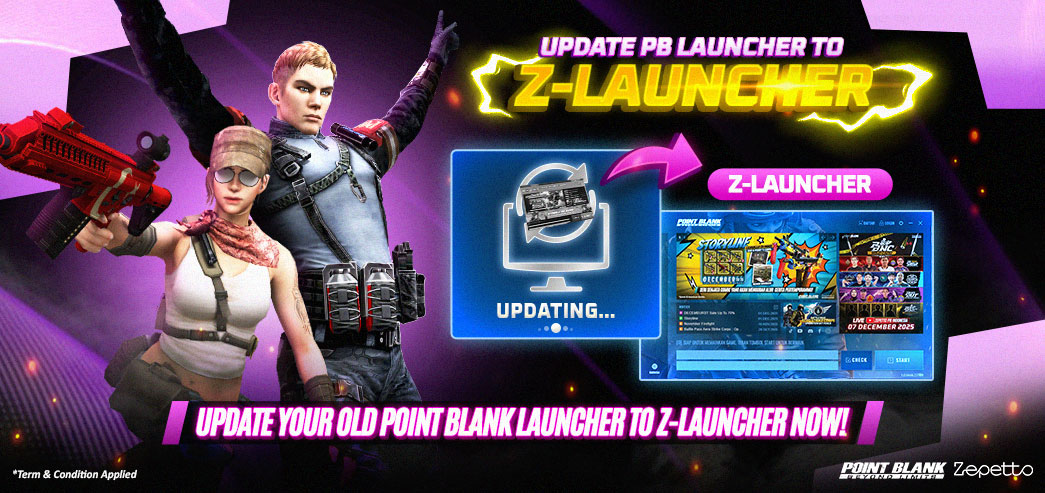
Update PB Launcher to Z-Launcher!
31. Jan. 2026
Hi, Troopers!
We would like to inform you that AFTER MAINTENANCE ON FEBRUARY 3, 2026
the OLD POINT BLANK LAUNCHER will be update to Z-LAUNCHER. Here is the Z-LAUNCHER Update Guide from the OLD POINT BLANK LAUNCHER:   2. When You Click START, the following pop-up will appear 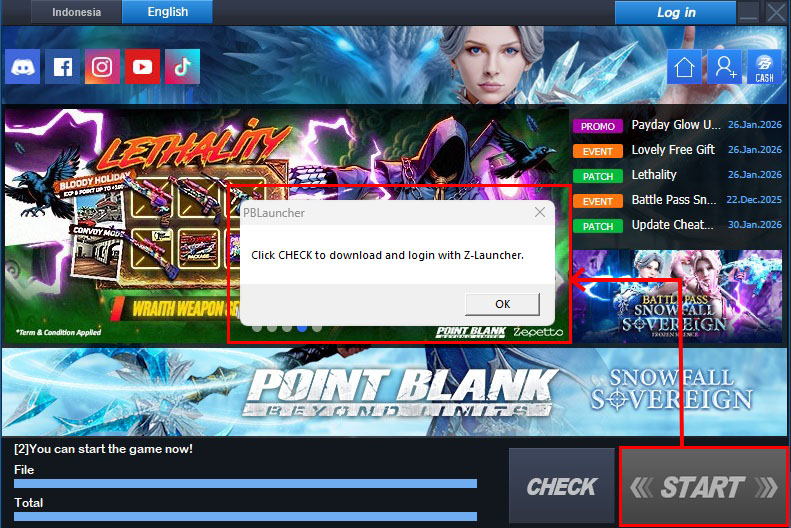 3. Select OK when the following pop-up appears, then Click CHECK 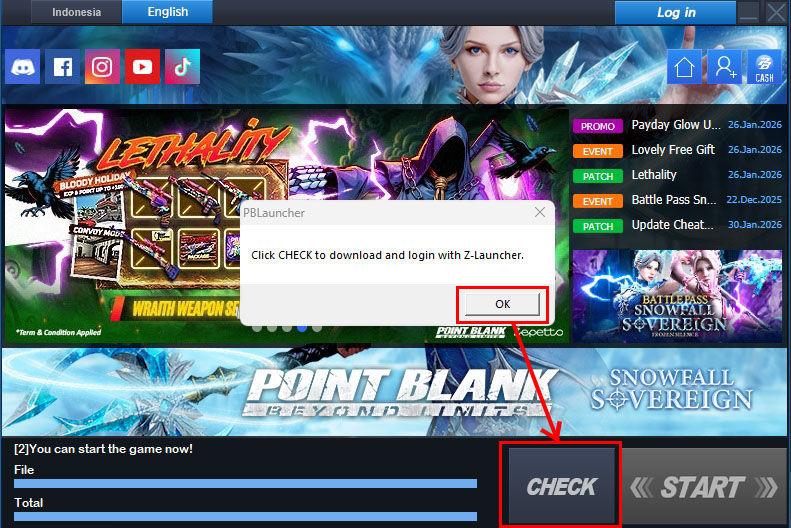 4. Wait for the CHECK process to complete 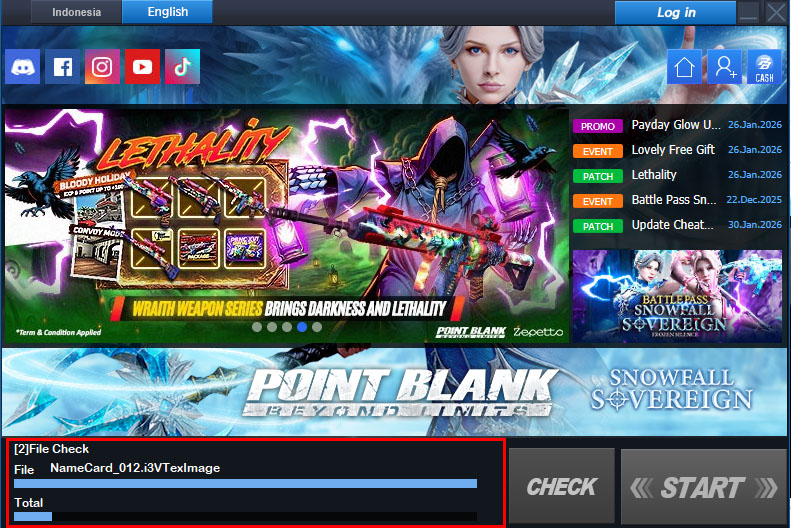 5. After the CHECK process is complete, a Z-Launcher installation pop-up will appear. Click Next  6. Click “I Agree” if you agree to continue the installation process.  7. Choose the installation location, then click Install.  8. Wait for the installation process to complete.  9. Once finished, run Z-Launcher.  10. Wait until the patching process is completed  11. When it’s done, click Install  12. Read the End User License Agreement, and click OK if you agree  13. TO AVOID HAVING TO REDOWNLOAD the Point Blank Client. (Select the location folder where your existing Point Blank client is installed to avoid re-downloading, then click OK. By default, the client is usually installed in C:\Zepetto\PointBlank.)   14. A pop-up message will appear saying the game has been installed. Click OK.  15. Click UPDATE and wait until the update process is complete.  16. After the installation or update process is complete, click START  17. Please log in and enjoy playing Point Blank  ========= ~ Thank You ~
---------------------
You can also visit our Official Discord, Facebook, Instagram & Youtube.
and if you want to ask a question please send it through the ticket that we have provided
---------------------
|


menu